

Browse all Articles
Quick Tips
Posted on: August 21st, 2009 in:
The patterns on this website describe solutions for common problems encountered by color blind on the internet. When using these patterns, keep the following tips in mind. These tips are also usable for anything outside the patterns on this website.
Avoid these color combinations
Try to avoid these color combinations. The high and medium priority combinations should be avoided whenever possible. The low priority combinations should also be avoided, but only tritan-type color blind (0.016% of the population) have problems with these combinations.
More about problematic combinations »
High
Medium
Low
Green and Red
Light Green and Yellow
Blue and Yellow
Green and Brown
Blue and Grey
Yellow and Violet
Blue and Purple
Green and Grey
Dark blue and Black
Green and Blue
Green and Black
Use Effective Color Contrast
Use a lot of lightness differences between foreground and background colors and qualitative schemes. Avoid using colors of similar lightness adjacent to one another, even if they differ in saturation or hue. Use the recommended contrast checking tools when you use color.
More information about effective color contrast »
Keep these rules in mind
Make colored objects as big as possible. The bigger the better
Avoid having your users name or recognize colors
Avoid having your users comparing colors with each other
Not everyone has a 2000$ monitor. Colors might be a little off on cheap monitors
When communication a feeling, use more than just color. Some color blind see green as brown
Consider providing a special color blind mode
But the most important rule
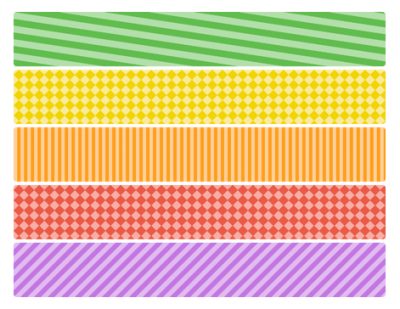
Never, ever use color alone to indicate, communicate or differentiate something. Always use something other than color, even when it seems very clear to you. Shapes, patterns, text, icons, sound or even photo's will do.
#articletable table {
border-collapse: collapse;
width:100%;
margin-bottom:20px;
}
#articletable th {
padding: 2px 5px;
font-weight:bold;
border-bottom: solid 1px #777;
background-image:url(/wp-content/themes/colorblind/img/bg.gif);
background-color:#f0f0f0;
}
#articletable td {
padding-left: 20px;
padding-right: 15px;
text-align:center;
}